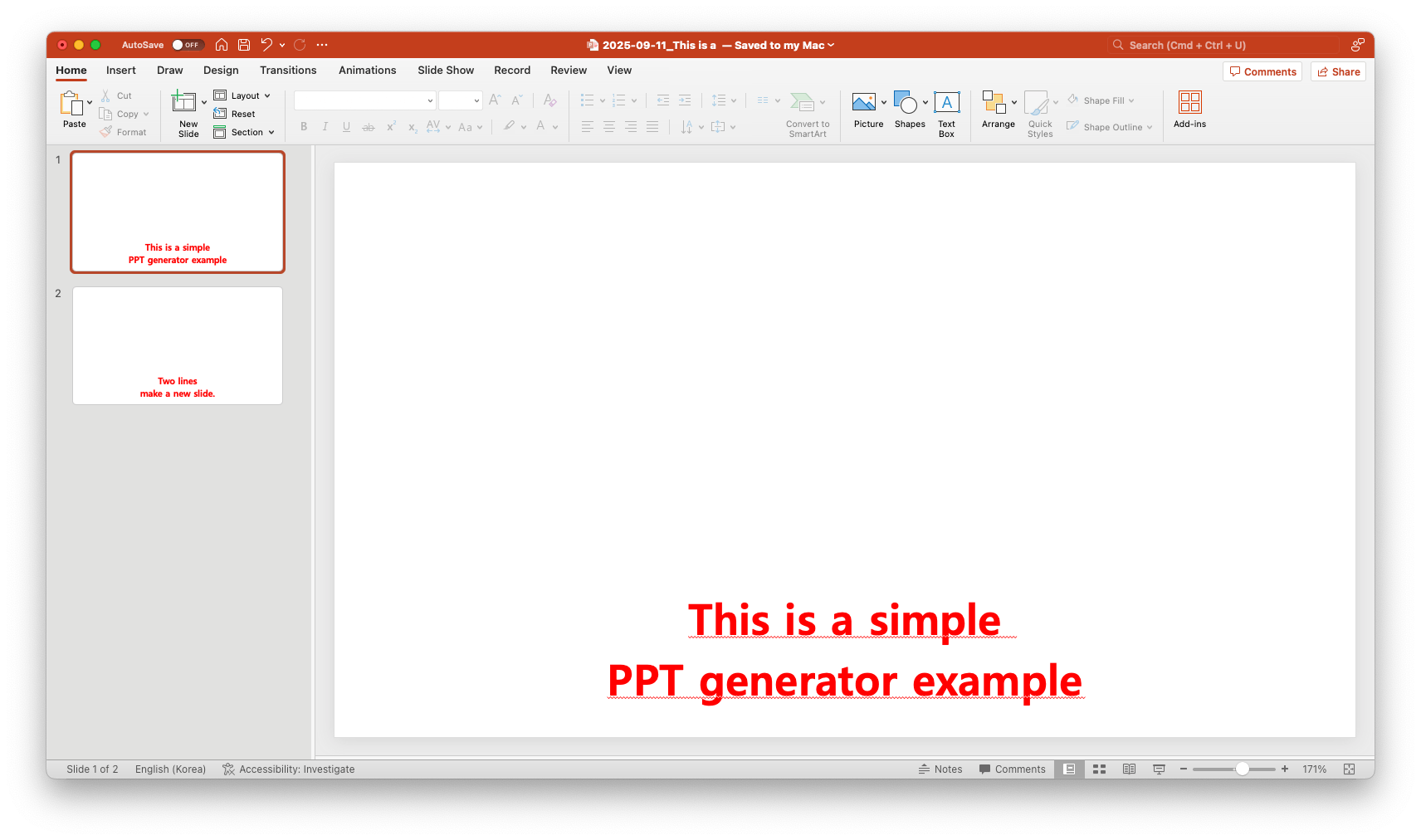
Turn Text into PPT in Seconds!

Perfect for lyrics and performances — turn your text into clean, chroma-key-ready slides in seconds.

Effortless Lyric Slides

Built to make lyric and text slides simple, fast, and stage-ready.
From worship services to karaoke nights.

Easy Slide Creation

Paste your lyrics or text and get ready-to-use slides in seconds

Master Slide Editing

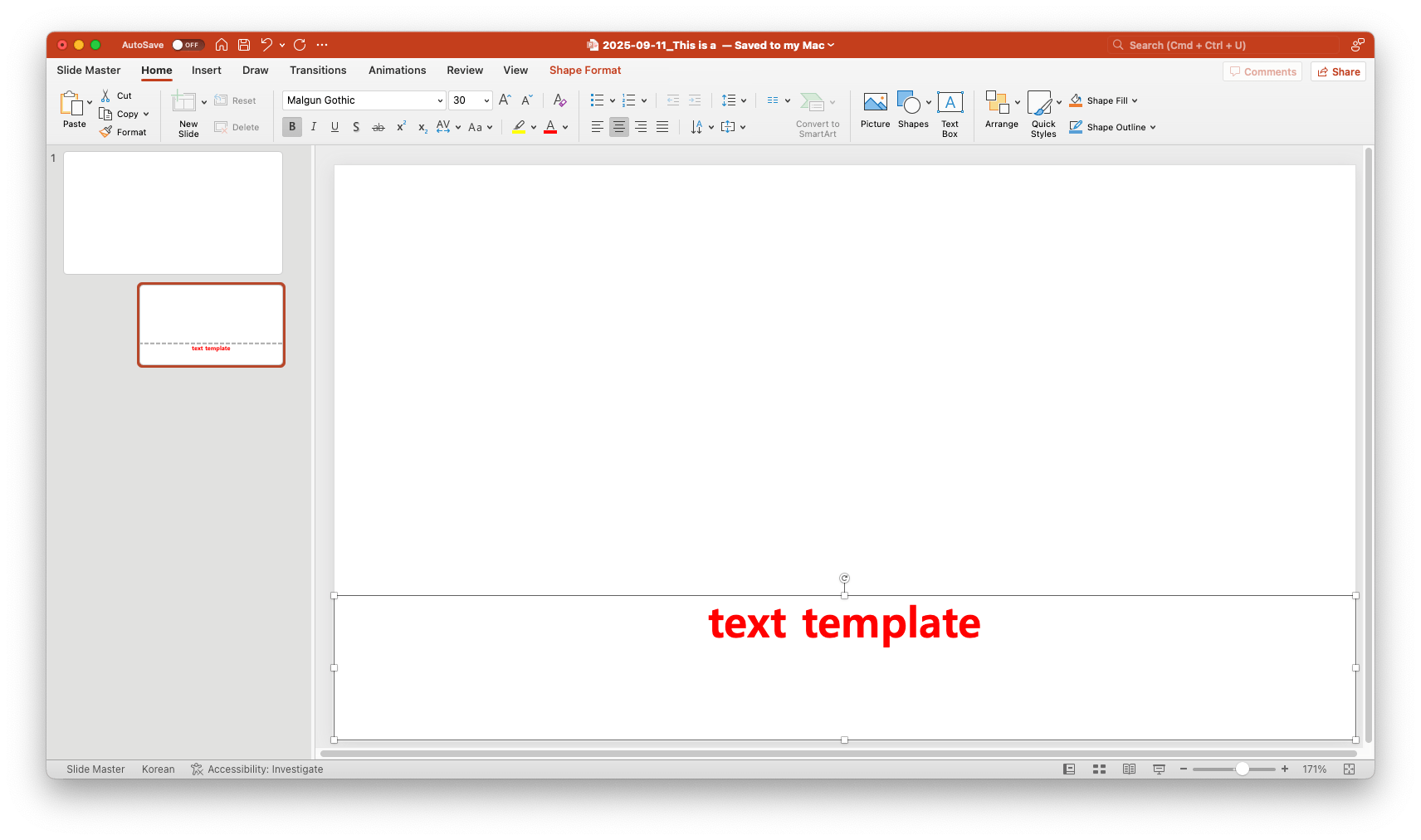
Edit backgrounds, fonts, or colors in one place, instantly applied to every slide

Seamless Export

Download as PowerPoint and use anywhere
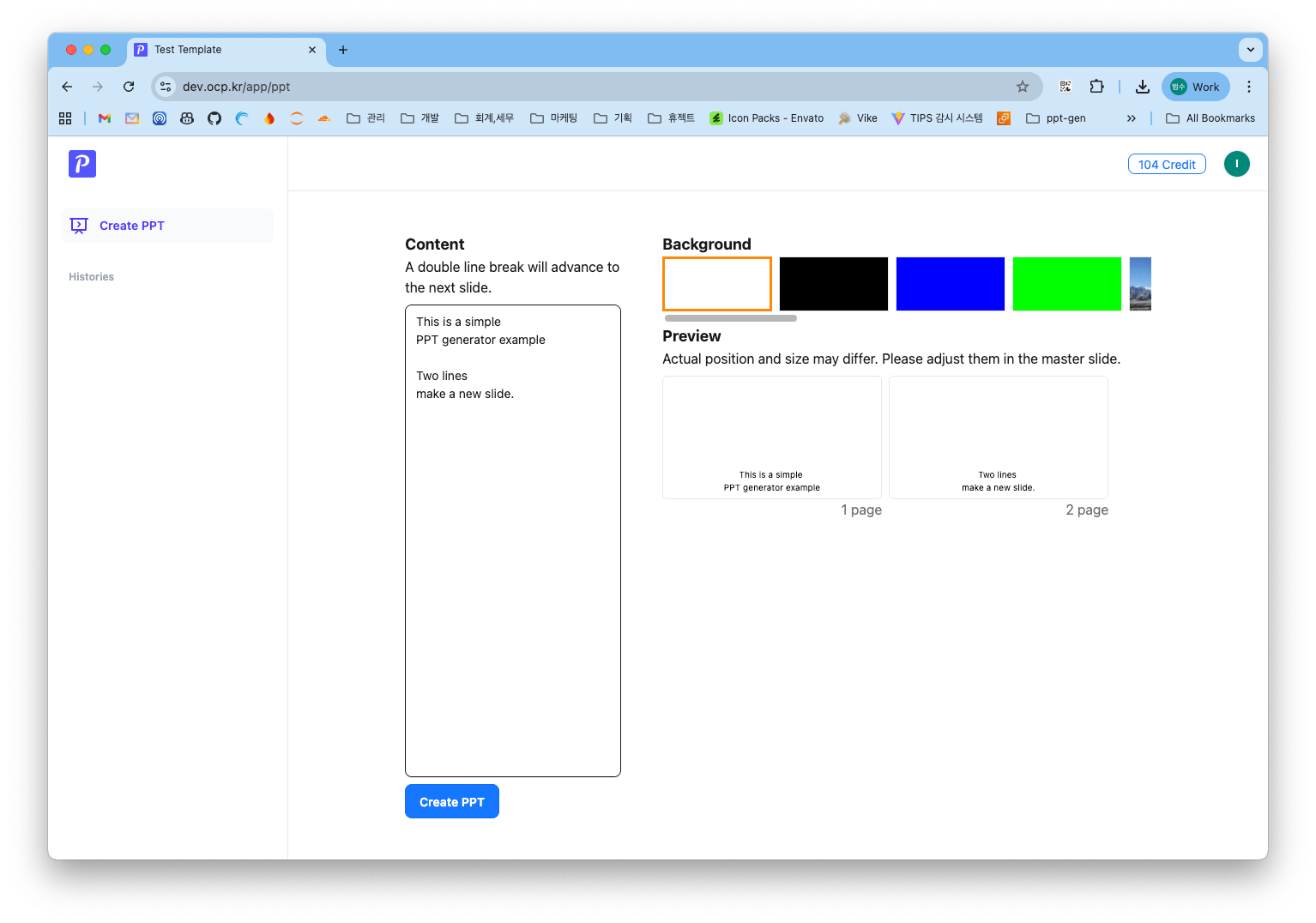
How It Works

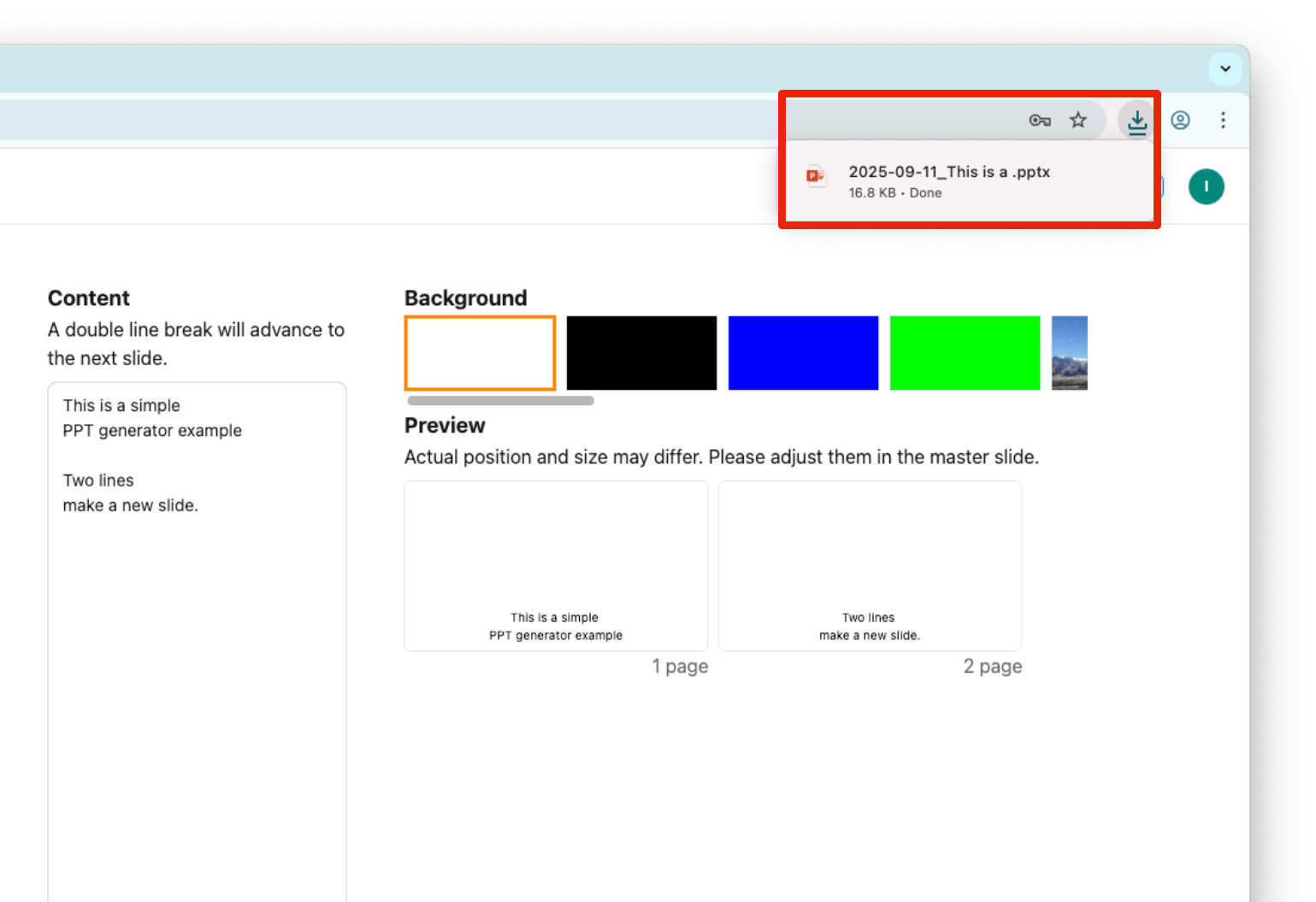
1. Input text
Input text
2. Download PPT
Download PPT
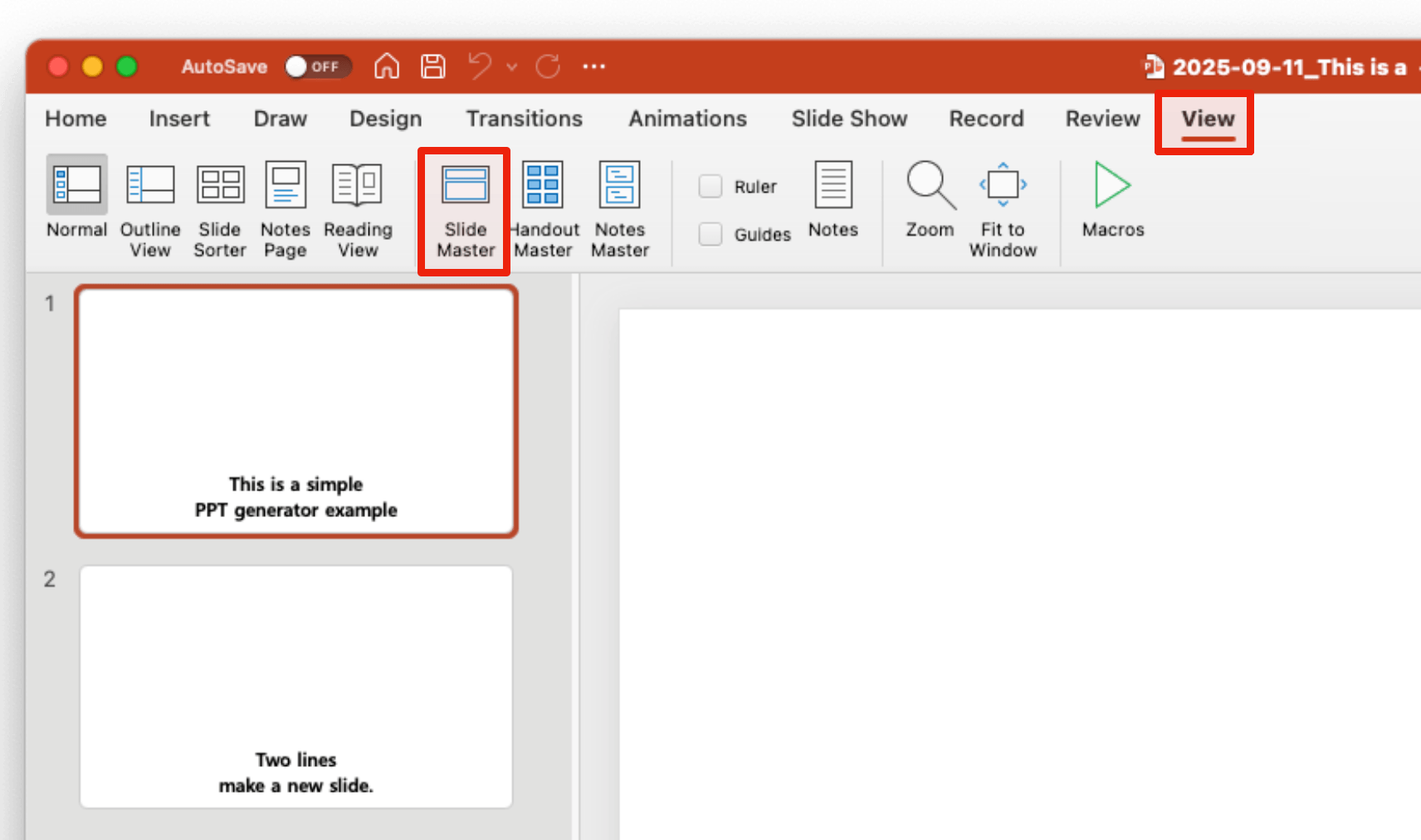
3. Open Slide Master
Open Slide Master
4. Change Styles
Change Styles
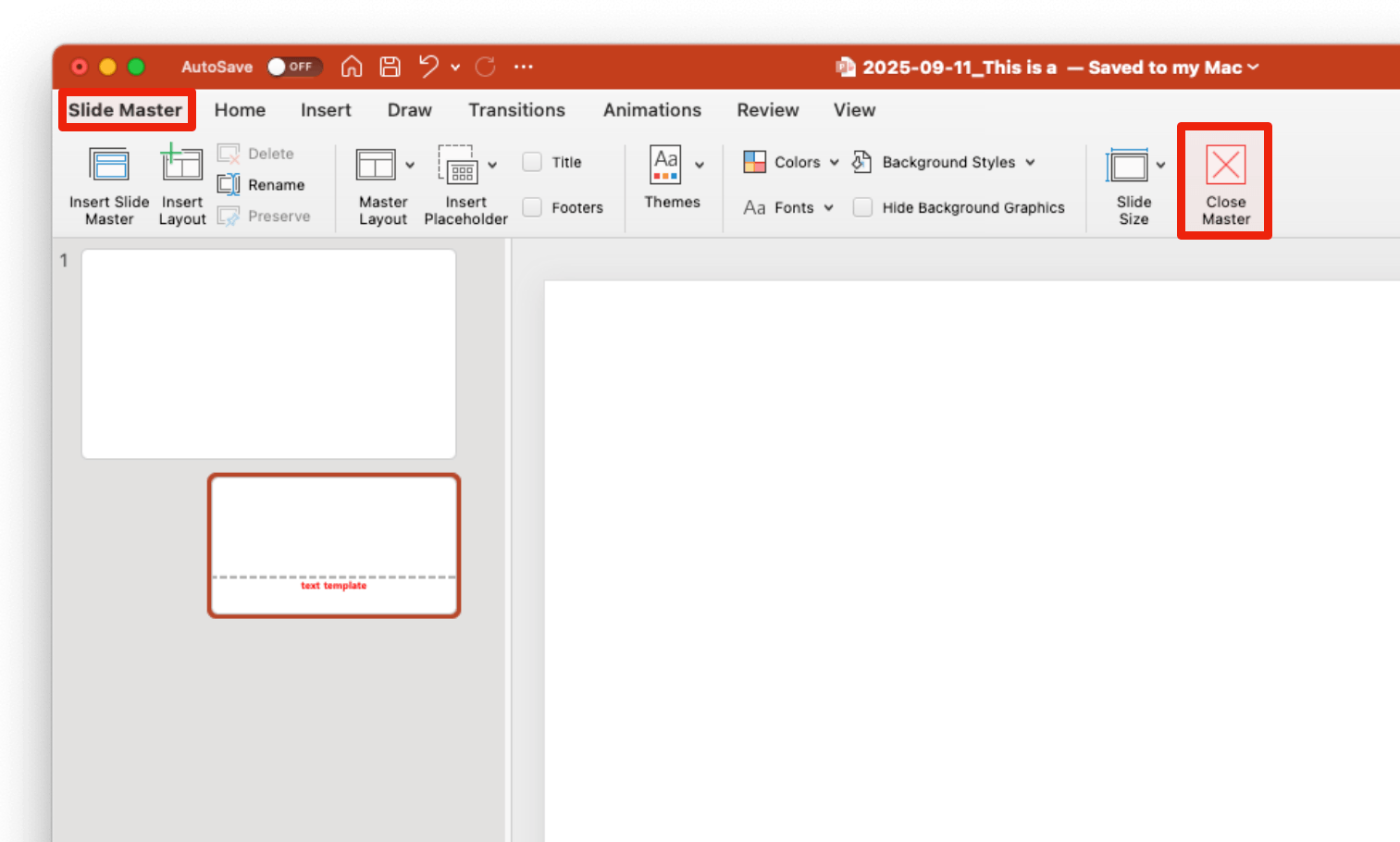
5. Close Slide master
Close Slide master
6. Use the PPT
Use the PPT

Frequently asked questions

Does this tool design slides for me?
No. It keeps things simple — it only converts your text into clean PowerPoint slides. Layouts and styles are controlled with master slides, so you can adjust them all at once.
Can I use it for lyrics or karaoke?
Yes! It’s especially useful for worship, karaoke, or performances — fast to create and easy to read on stage.
How do I change the look of all slides?
Edit the master slide in PowerPoint. Backgrounds, fonts, and colors will update across every slide instantly.
Do I need to install anything?
No installation required. Everything works in your browser — just paste text and download the PPT file.
Is it free to use?
You can create up to 5 PPT files for free. After that, you’ll need a paid plan or credits to continue using the service.

Turn your text into slides — fast and simple.

Create up to 5 PPTs for free.
Perfect for lyrics, worship, or any quick presentation.